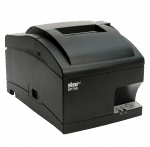
Star Micronics SP742 Impact Printer USB – Ethernet – CloudPRNT

Price range: $269.00 through $475.00

In the box:
•SP742 printer
•Internal power supply
•58mm paper guide
•Power switch cover
•Receipt redesign software
•Appropriate Communications Cables
•Starter Paper Roll
•Starter Ink Ribbon
•User Manual


Description

Star Micronics SP742 Kitchen Printer

The Star SP742 impact receipt printer is a durable, high-performance solution designed specifically for demanding kitchen environments where heat and humidity can compromise print quality. Engineered for reliability, this fast two-color printer delivers crisp, easy-to-read text, ensuring orders are clear and easy to reference.

Its user-friendly clamshell design allows for quick and effortless paper loading, minimizing downtime during busy operations. The integrated power supply helps save valuable space, keeping workstations organized and efficient.

The SP742 also offers versatile connectivity with multiple interface options, including Serial, Parallel, USB, and Ethernet, making it easy to integrate into a wide range of POS systems.

Frequently Asked Questions:

  • Power off the printer.
  • Open the printer cover by sliding the latch toward you.
-IMPORTANT!
DO NOT touch the print head immediately after printing as it can be extremely hot. DO NOT touch the cutter blade. There is a cutter inside the paper outlet slot. Not only should you not put your hand in the paper outlet slot while printing is in progress, NEVER put your hand into the outlet even when printing is not in progress.
  • When installing the paper roll, the paper must exit from the bottom up (facing you). Set the paper roll into the hollow, and pull on the leading edge of the paper toward you.
  • Push down both sides of the printer cover to close.
  • Power off the printer.
  • Open the front cover by holding the finger grips on both ends of the cover and lift up.
-IMPORTANT!
DO NOT touch the print head immediately after printing as it can be extremely hot. DO NOT touch the cutter blade. There is a cutter inside the paper outlet slot. Not only should you not put your hand in the paper outlet slot while printing is in progress, NEVER put your hand into the outlet even when printing is not in progress.
  • Place the ribbon cartridge with the ribbon facing inside of printer (non-ink part facing you). The ribbon feed knob on cartridge should be facing up. Turn the ribbon feed knob of the ribbon cartridge in the direction of the arrow to remove slack in the ribbon. 
  • Close the front cover.
Additional information
Weight11 lbs
Dimensions8 × 7 × 10 in
Reviews (0)

Reviews

There are no reviews yet.

Be the first to review “Star Micronics SP742 Impact Printer USB – Ethernet – CloudPRNT”
Shipping & Delivery