
Blogs
Restaurant POS Hardware Checklist: Complete Buying Guide

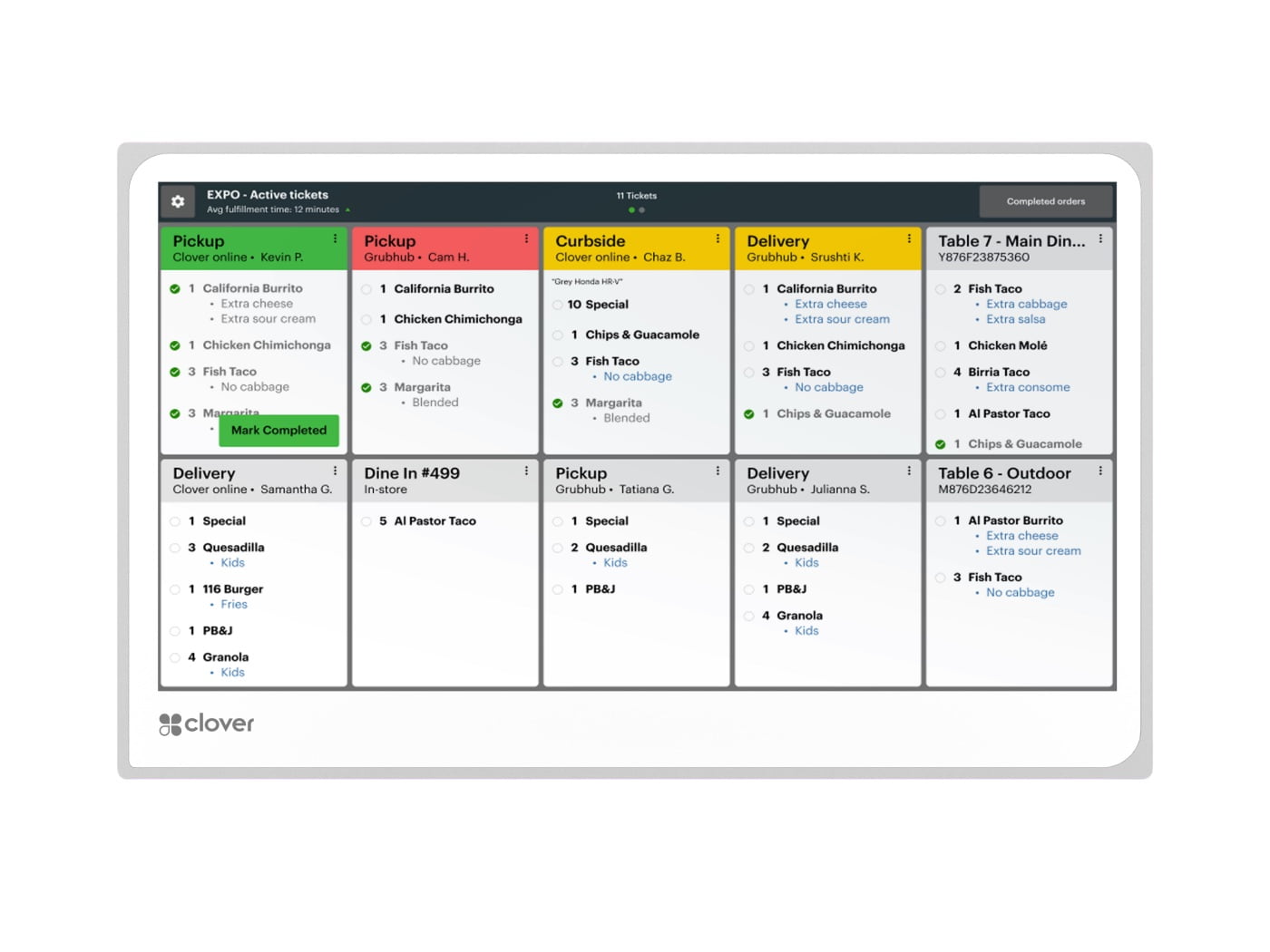
Quick answer: A restaurant POS setup should be planned as a connected workflow, not a shopping list. The core pieces are usually the main POS terminal, customer payment device, receipt printer, kitchen printer or KDS, cash drawer when cash is accepted, and reliable network connectivity. The right mix depends on whether the restaurant is quick-service, full-service, counter-service, takeout-heavy, or multi-station.
Restaurant POS hardware checklist
- Main POS terminal or register
- Customer-facing payment device or handheld terminal
- Receipt printer
- Kitchen printer, KDS, or both
- Cash drawer if cash is accepted
- Barcode scanner if packaged retail items are sold
- Network equipment and backup connectivity
- Mounts, stands, cables, and charging accessories
1. Start with the main POS station
The main register should match the restaurant’s ordering pattern. A counter-service restaurant may prefer a fixed station such as the Clover Station Duo, while a smaller counter may be better suited to the Clover Mini. Full-service restaurants may combine a fixed station with handheld devices such as the Clover Flex.
Before ordering, map where staff enter orders, where customers pay, whether multiple employees share the same station, and whether the device must connect to cash drawers, scanners, printers, or kitchen systems.
2. Decide where payments happen
Payment workflow affects both hardware and staffing. Counter-service locations usually keep payment at the register. Full-service restaurants may prefer tableside payment. Food trucks and temporary events need mobility. A handheld device can reduce trips back to a terminal, but a fixed station can be easier to integrate with a full set of peripherals.
For broader payment-hardware options, see JaimePOS credit card terminals and payment processing.
3. Choose the right receipt printer
Thermal receipt printers are common at the front counter because they are fast, quiet, and do not use ink ribbons. Examples include the Epson TM-M30II and Star TSP143IV. Epson lists the TM-M30II with USB and Ethernet configurations plus Bluetooth or Wi-Fi options on selected models, while Star lists multiple TSP143IV connectivity configurations.
Do not choose only by brand name. Confirm the interface your POS software expects, the paper width, network method, and whether the printer must open the cash drawer.
4. Kitchen printer or KDS?
Kitchen printing and kitchen display systems solve different problems. Impact printers such as the Star SP742 are often used where a printed ticket is preferred. A Clover Kitchen Display System can route orders digitally and show order status, timing, and station workflow.
Clover currently offers 14-inch and 24-inch KDS options and supports order routing and runner-ticket printing from compatible network printers. A busy kitchen may use more than one display or combine KDS with printed backup tickets depending on station layout and operating procedures.
5. Cash drawer considerations
If the restaurant accepts cash, the drawer must work with the selected printer or POS configuration. Check drawer size, bill and coin layout, interface cable, opening voltage, and physical counter space. A drawer that is electrically incompatible with the printer can fail even if the connector looks correct.
Browse JaimePOS cash drawer options and confirm compatibility before ordering.
6. Plan order routing before installation
The best hardware can still create a poor workflow if routing is not planned. Document which items should go to the grill, bar, prep station, dessert station, expo, or receipt printer. If online orders also enter the system, decide whether they appear on the same KDS or printer as in-store orders.
For restaurants evaluating a complete setup, the JaimePOS Restaurant POS Systems page provides a broader starting point.
7. Network and backup connectivity
Modern POS systems depend on networking. Use reliable Wi-Fi for mobile devices, wired Ethernet where practical for fixed equipment, and a backup plan for internet interruptions. Keep payment terminals, printers, and KDS devices on a documented network layout so support is easier later.
8. Avoid these common buying mistakes
- Buying a printer before confirming the required interface.
- Assuming every cash drawer works with every printer.
- Choosing a handheld device without checking receipt requirements.
- Ignoring kitchen heat, grease, mounting position, or cable routing.
- Buying hardware from different ecosystems without confirming compatibility.
- Planning only for today’s station count and not future expansion.
A practical restaurant setup example
A counter-service restaurant might use one Station Duo at the register, one thermal receipt printer, one cash drawer, and a KDS in the kitchen. A full-service restaurant might use a fixed station for management and takeout, several Flex devices for servers, and one or more KDS screens. A food truck may need only a mobile POS, compact printer, and reliable cellular or Wi-Fi connectivity.
Shop products mentioned in this guide
Current JaimePOS pricing and availability are shown below. Product configurations can vary, so review the product page before ordering.


Official resources
- Clover Station Duo official page
- Clover Flex official page
- Clover Kitchen Display System official page
- Epson TM-M30II official page
- Star Micronics TSP100IV/TSP143IV official information
Compatibility depends on the exact hardware revision, POS software, payment processor, network, and accessories. Verify the complete configuration before purchase or installation.


