
Blogs
Which Clover POS Fits a Small Business? Mini, Solo, Flex or Duo

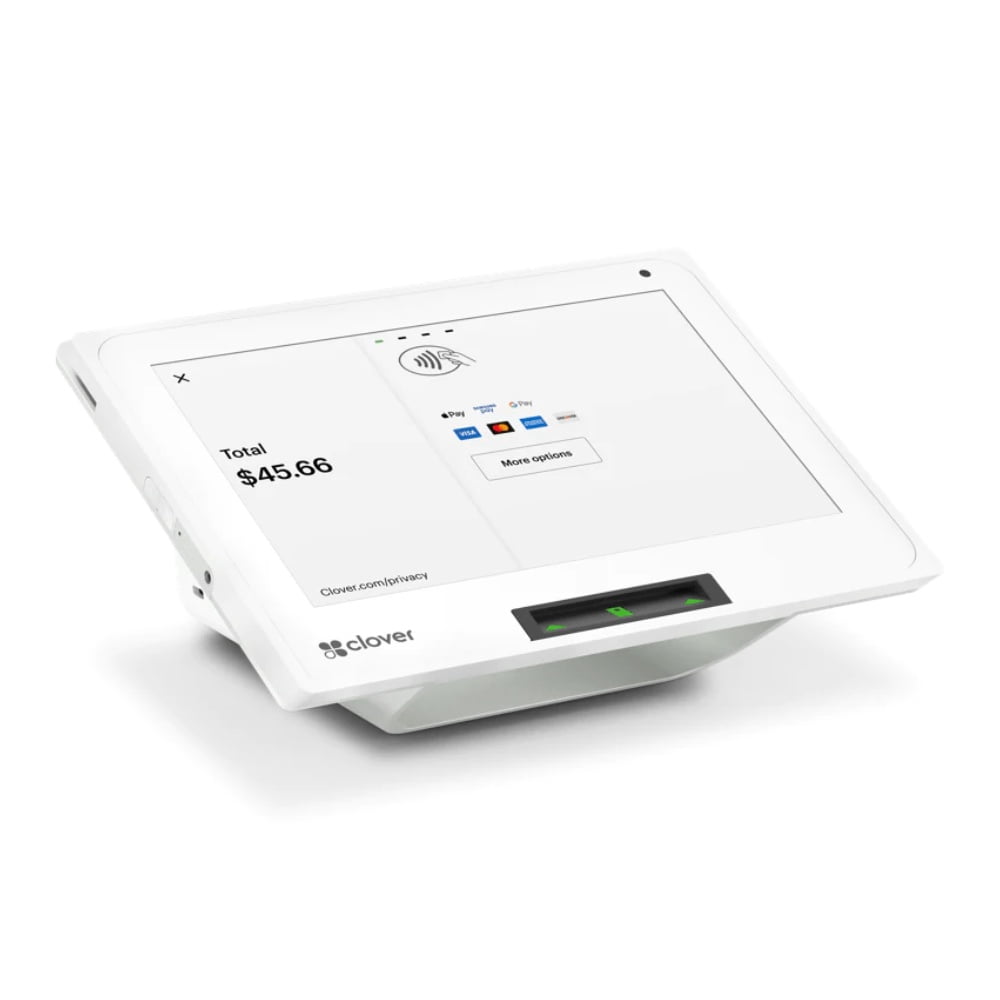
Quick answer: There is no single “best” Clover POS for every small business. Mini is the compact countertop choice, Station Solo is the larger primary register, Flex is the handheld option for mobile service, and Station Duo is the strongest fit when a fixed checkout needs a dedicated customer-facing screen.
Choose Clover by workflow, not by model name
Before comparing hardware, map where customers order and pay. A salon reception desk, a busy retail register, a full-service restaurant and a mobile service business may all use Clover, but they do not need the same device.
| Device | Best fit | Main advantage |
|---|---|---|
| Clover Mini | Small counters, salons, cafes, compact retail | Complete POS in a small footprint |
| Station Solo | Primary register, larger menu or catalog | Large 14-inch merchant display |
| Clover Flex | Tableside, mobile service, line-busting | Handheld ordering and payment |
| Station Duo | Busy fixed checkout | Separate merchant and customer screens |
Clover Mini: compact countertop POS
The Clover Mini is a strong option when counter space is limited. Clover positions Mini as a complete POS in a compact package, making it useful for cafes, boutiques, salons and secondary checkout stations.
Choose Mini when you want a real countertop POS but do not need the footprint of a full-size workstation.
Station Solo: full-size primary register
The Clover Station Solo is better when employees spend much of the day working at one register. Clover lists a 14-inch touchscreen, which gives staff more working space for larger menus, product catalogs, modifiers and reporting.
Solo makes sense for a primary station where mobility is not the priority.
Clover Flex: take the POS to the customer
The Clover Flex is designed for mobility. Clover describes Flex as a handheld POS for taking orders and payments from the floor, tableside or on the go.
Restaurants can use Flex for tableside payment. Retailers can use it for line-busting. Salons and service businesses can take payment where the service is completed. Mobile businesses can use it when there is no permanent checkout counter.
Station Duo: two sides of the checkout
The Clover Station Duo combines a 14-inch merchant display with an 8-inch customer-facing screen. Clover says the customer can review the order, tip, redeem rewards, pay and request a digital receipt on the second display.
Duo is especially useful for busy counter-service restaurants and retail stores where the customer should have a dedicated payment screen.
Which Clover POS fits common business types?
Restaurant
A quick-service restaurant may use Station Duo at the counter and Flex for curbside or overflow. A full-service restaurant may use Station Solo for the main station and Flex for servers. If the kitchen needs digital order routing, add a Clover KDS.
Retail
Mini can work for a small boutique. Solo or Duo may be better for a high-volume register. Retailers should also plan barcode scanning, cash drawer and receipt printing together. See JaimePOS Retail POS Systems.
Salon and service business
Mini works well at a reception desk. Flex is useful when payment happens at a chair, room or customer location. The right choice depends on whether the business wants customers to come to a counter or the device to come to them.
Mobile and event business
Flex is usually the most natural Clover option because it is designed to move. A fixed Station device is less practical when the business operates at events, pop-ups or customer locations.
Do you need more than one Clover device?
Many businesses benefit from a mixed setup. A fixed Station can serve as the main register while Flex handles mobile transactions. Clover’s own hardware ecosystem is designed to let countertop and handheld devices work together.
Questions to answer before ordering
- Where does the customer pay?
- Does staff need to move around while taking orders or payments?
- How much counter space is available?
- Do you need a dedicated customer-facing screen?
- Will you connect scanners, printers, cash drawers or KDS hardware?
- Is this the primary register or a secondary device?
- Which Clover software plan and merchant configuration will be used?
See all JaimePOS Clover POS systems or review the broader POS Systems guide before choosing a configuration.
Shop products mentioned in this guide
Current JaimePOS pricing and availability are shown below. Product configurations can vary, so review the product page before ordering.


Official resources
Hardware generations, software plans, pricing and compatibility can change. Verify the exact configuration before purchase.


