
Blogs
Payment Terminal Connectivity Guide: Ethernet vs Wi-Fi vs Cellular

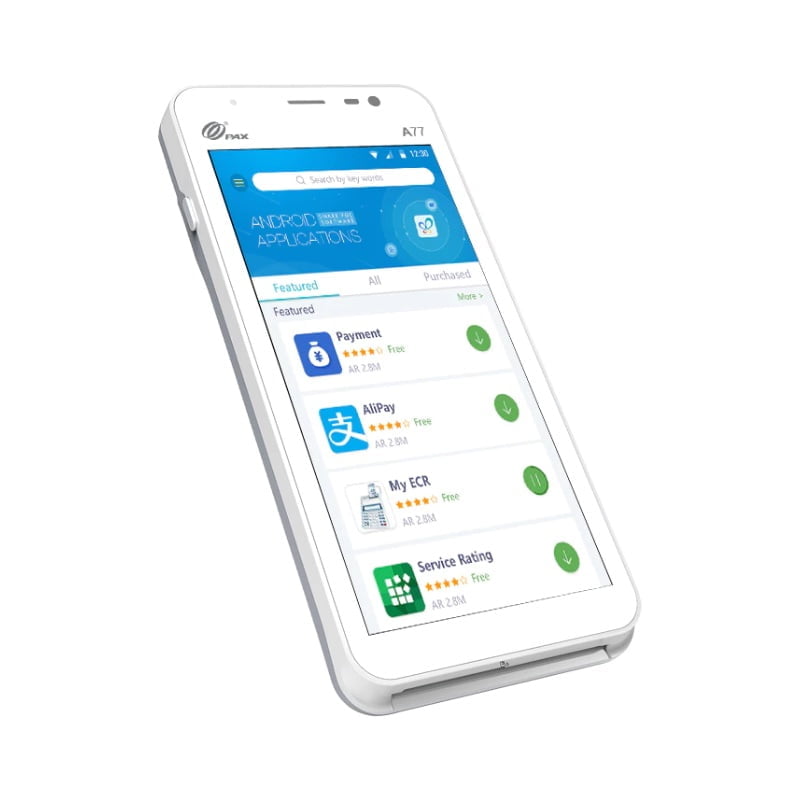
Quick answer: Use Ethernet when a payment terminal stays at a fixed counter and reliability is the priority. Use Wi-Fi when the terminal needs to move within a business with strong wireless coverage. Use cellular when the device must work away from the store network, at events, curbside, delivery locations or mobile jobsites.
Ethernet vs Wi-Fi vs cellular payment terminals
| Connection | Best use | Main strength | Main consideration |
|---|---|---|---|
| Ethernet | Fixed countertop | Stable wired connection | Requires cabling and fixed location |
| Wi-Fi | In-store mobility | Flexible placement | Depends on wireless coverage and congestion |
| Cellular | Mobile/off-site | Works without store Wi-Fi | Coverage, data plan and processor configuration |
Ethernet: best for a permanent checkout
For a terminal that will remain beside the register, Ethernet is often the simplest reliability choice. The device has a predictable network path, does not depend on Wi-Fi signal quality and can remain powered in one location.
Countertop devices such as the Ingenico Desk 3500, Verifone V400c Plus and PAX A80 are examples of terminal families used in fixed checkout environments. The exact connectivity depends on the configuration.
Wi-Fi: useful when the device moves inside the business
Wi-Fi is useful in restaurants, salons, showrooms and stores where employees need to carry a terminal away from the main register. It avoids cellular dependence while still allowing mobility within the local network.
The weakness is coverage. A terminal can appear unreliable when the real problem is poor access-point placement, interference or weak signal in a patio, back room or far corner of the store.
Cellular: designed for true mobility
Cellular connectivity is valuable when transactions happen outside the business network. Examples include food trucks, delivery, mobile services, outdoor events, pop-ups and curbside operations.
Wireless terminals such as the PAX A920 Pro and PAX A77 may be deployed with cellular capability depending on the processor and configuration.
Do you need more than one connection type?
Often, yes. A mobile terminal may use Wi-Fi inside the store and cellular as a backup or for off-site use. A countertop terminal may use Ethernet as its primary connection while supporting another method for flexibility.
Do not assume automatic failover works the same on every processor application. Ask how the specific terminal behaves when one network path fails.
Restaurant example
A restaurant could use Ethernet for the main counter terminal and KDS, Wi-Fi for handheld devices used at tables, and cellular-capable hardware for curbside or outdoor service. Each connection type solves a different operational need.
See JaimePOS Restaurant POS Systems for broader planning.
Retail example
A retailer may keep the primary payment terminal on Ethernet and use Wi-Fi handhelds for line-busting or showroom checkout. If the business also sells at trade shows or pop-up events, a cellular terminal can become a useful second device.
See JaimePOS Retail POS Systems.
What affects payment-terminal network reliability?
- router and access-point quality,
- distance from Wi-Fi access points,
- interference and network congestion,
- Ethernet cable quality,
- cellular carrier coverage,
- firewall or network rules,
- terminal firmware and payment application, and
- processor-specific configuration.
Security and network separation
Payment devices should be deployed according to processor, PCI and manufacturer guidance. Businesses should avoid treating the POS network like an unmanaged guest network. Keep network equipment documented and restrict unnecessary access.
Questions to ask before choosing connectivity
- Will the terminal stay in one place?
- Does the business already have reliable Ethernet at the counter?
- How strong is Wi-Fi everywhere the device will be used?
- Does the terminal need to work outside the store?
- Is cellular service included or billed separately?
- What happens when the primary connection fails?
- Does the merchant processor support the chosen network configuration?
For hardware options, browse JaimePOS Credit Card Terminals and review Payment Processing before purchasing a terminal separately from the merchant account.
Shop products mentioned in this guide
Current JaimePOS pricing and availability are shown below. Product configurations can vary, so review the product page before ordering.


Official resources
- PAX A77 official product page
- Ingenico Desk/3500 official information
- Verifone V400c official product page
Connectivity options vary by exact terminal, processor, carrier, firmware and merchant configuration. Verify the supported connection methods before deployment.


